Integration of Power-Point Files
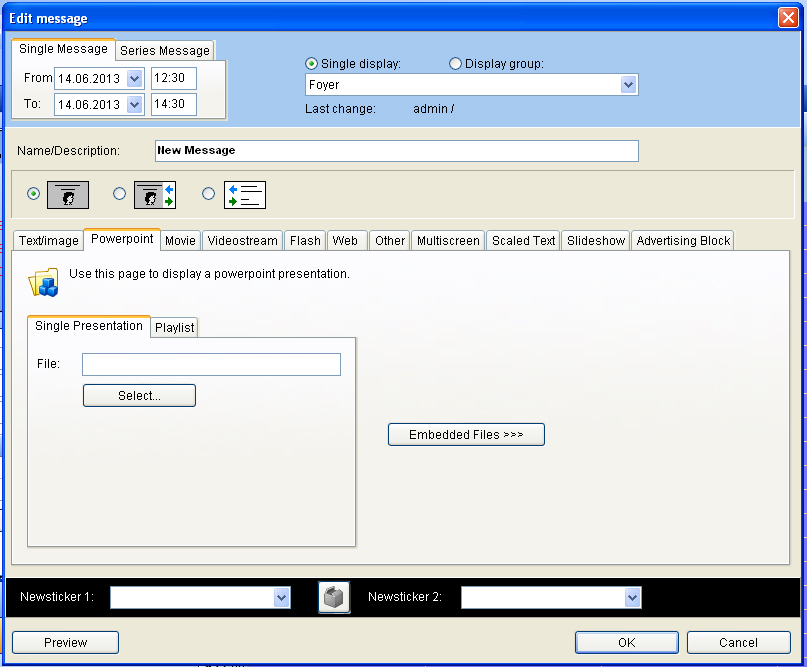
Go back to the menu “change message”. Select the flag “Power-Point” and press the “select” button and enter the Power Point presentation.
It is important that Power-Point presentations are saved with an interval so that the slides change after a certain period of time.
It is possible that the presentation changes to the next chart every 5 seconds when Power-Point file saved like described above. The single clients have Power-Point licenses for the replay of these files. A license for creating and changing Power-Points is not included in the selling price. The Power-Point File has to be saved in C:/VICOM VisGuide/Media.