Monitor Design
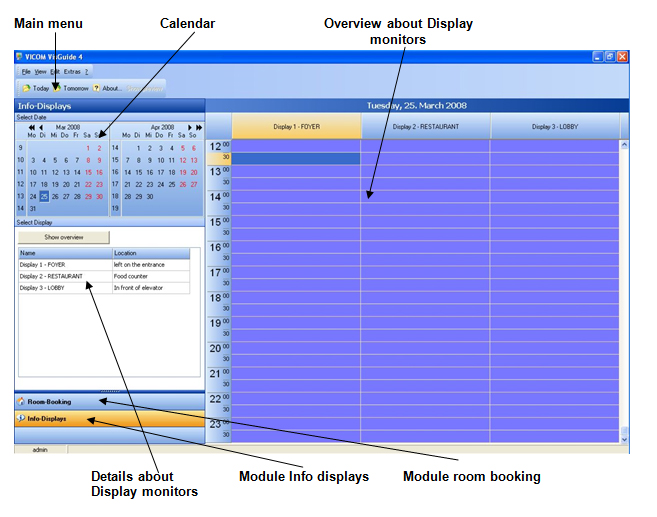
Der Server ist so konfiguriert, dass nach dem Einschalten automatisch das Programm VisGuide geladen wird. Sie befinden sich nun auf der Arbeitsoberfläche die klar und übersichtlich gestaltet ist. Im oberen Bereich sehen Sie die Pull-down Menüs, wie bei jedem Windows-Programm, mit den zusätzlichen Funktionstasten – „heute“, „morgen“, „Vorschau Meldung“, „Ansicht aktualisieren“ und „Info“.
The server is configured that VisGuide is loaded automatically as soon as the server is switched on. Now you are at the working surface which is designed user friendly. In the upper part you can see the drop down menus like in any Windows program with additional functions “today”, “tomorrow” and “info”.
To access the room booking module you need to click the button in the main menu on the lower left hand side. The design is similar to the info-displays, but the background colour is yellow. Most important is the clear overview for the individual days and the conference room bookings. On the left side is the calendar, the room location plan and the buttons for daily, weekly and monthly overview.