Showing of the Conferences on the Info-Displays
The display on the large display monitors can be lodged individually. Enter the module Info-Displays by pressing the appropriate button on the lower left side and double-click the message box on the screen, so the “Edit message” window will show up.
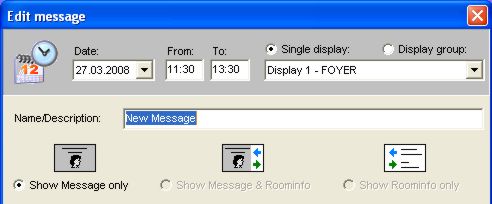
On the left side there is a symbol with a head; in the middle is the head with 2 arrows and on the right side are the arrows with some lines of text. The left symbol “show message only” is always selected by default. A welcome message can be shown, as we have described it earlier. When you click the preview button you can see the final result on a display monitor.
The right symbol shows only the current conferences including arrows of direction.
The middle symbol (head with 2 arrows) mixes both solutions. The welcome message will be formatted then slightly differently and on the right side the actual conferences will be shown. But this function makes only sense, when no more than five conferences take place at the same time, simply because there is only limited space.